
Supplying your material
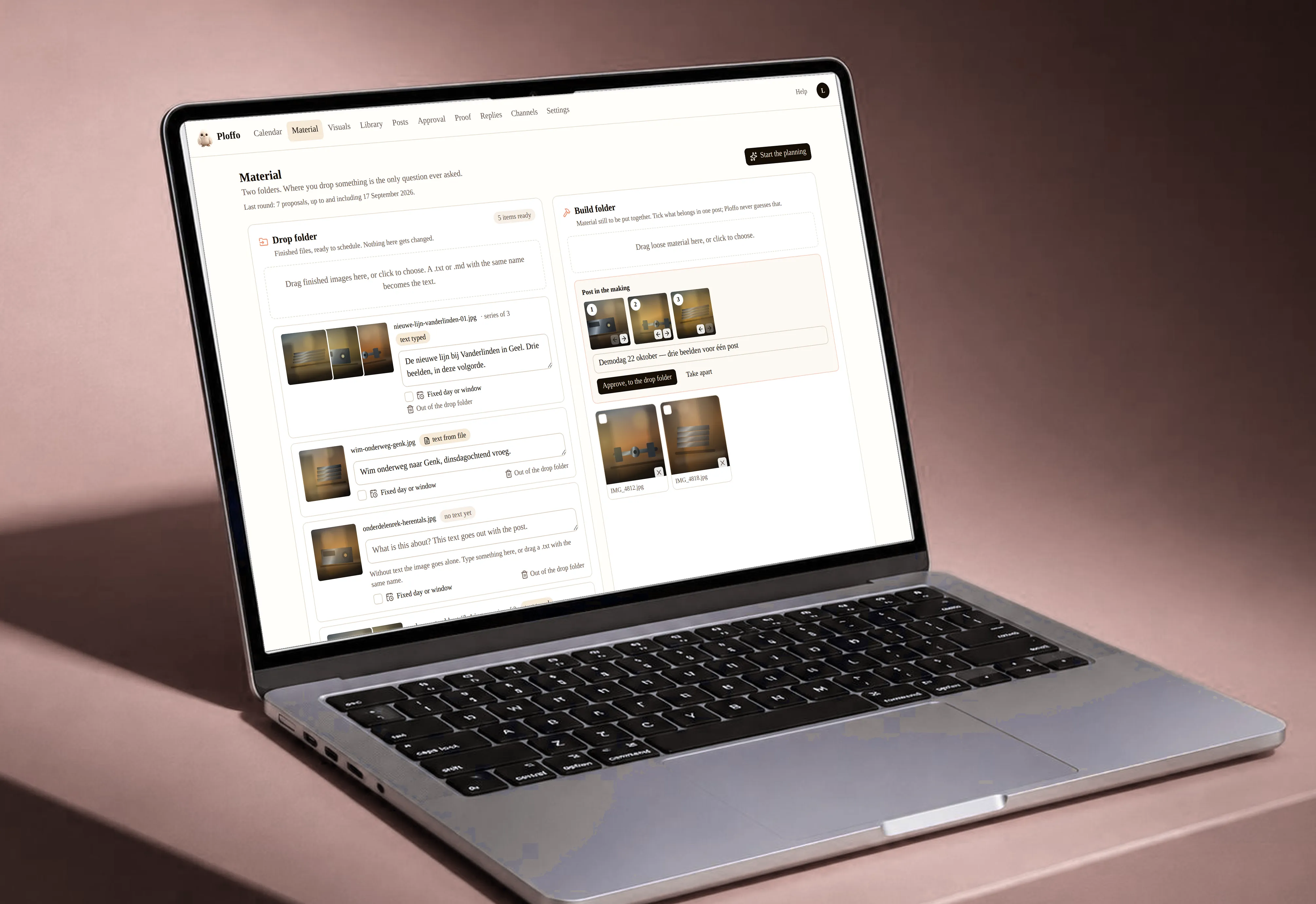
Two folders in your Material screen, and where you drag something is the only question ever asked.
Two folders in your Material screen
| The build folder | material still to be assembled: loose photos, a background, three images that have to become something together |
| The drop folder | finished files, ready to schedule. Nothing that lands here is changed again |
Those are the two you drag files into. There is a third, the brand folder, but that one belongs to the brand rather than to your material: you find it under Settings. Further down, why that is not a detail.
Why you have to choose where something lands
Because the file cannot answer the question. A background your client supplies may happen to have exactly the proportions of an Instagram post. It would then end up in your calendar as a finished post while it was meant as an underlay.
No property of a file carries that distinction — only the person who dragged it knows. So it is asked once, the moment it comes in. Never again after that.
The drop folder is the exit, and the stock as well
Whatever gets approved in the build folder moves there automatically, and from that moment there is no difference from a file you uploaded yourself.
And that is where Plano draws from: ask him to plan a month and what is in the drop folder is what he picks from. Nothing is assembled there any more — the files themselves do not change — but it is the folder you keep filled.
The brand folder is a rulebook, not a junk drawer
This is the distinction that goes wrong most easily. Throw every client photo into the brand folder and after three months it is no longer a rulebook, and it no longer does the job it exists for.
That is also why it sits elsewhere: in the brand’s settings, together with the logo in its variants, the typefaces with their sizes, the colours, the margins, the safe zones, and fixed elements such as a frame or a bar. Nothing you touch every week.
Raw material therefore belongs in the brand’s media library: searchable, reusable, with the date and the post it was used in. The brand folder keeps only what never changes.
What to supply
- The original, not an exported version. A file already prepared for Instagram has already been cropped.
- Wider than you think you need. A story is upright, a LinkedIn post is landscape; supply it tight and you lose one of the two.
- Without text on it, if text is needed. Text baked into the photo can no longer change along with the language or the format.
Still stuck? Ask your questionAll topics