
Features
From a folder of images to the proof it went out — in one subscription. Other tools do one piece of this journey; here the whole thing is there: planning, approval, checking and proof.
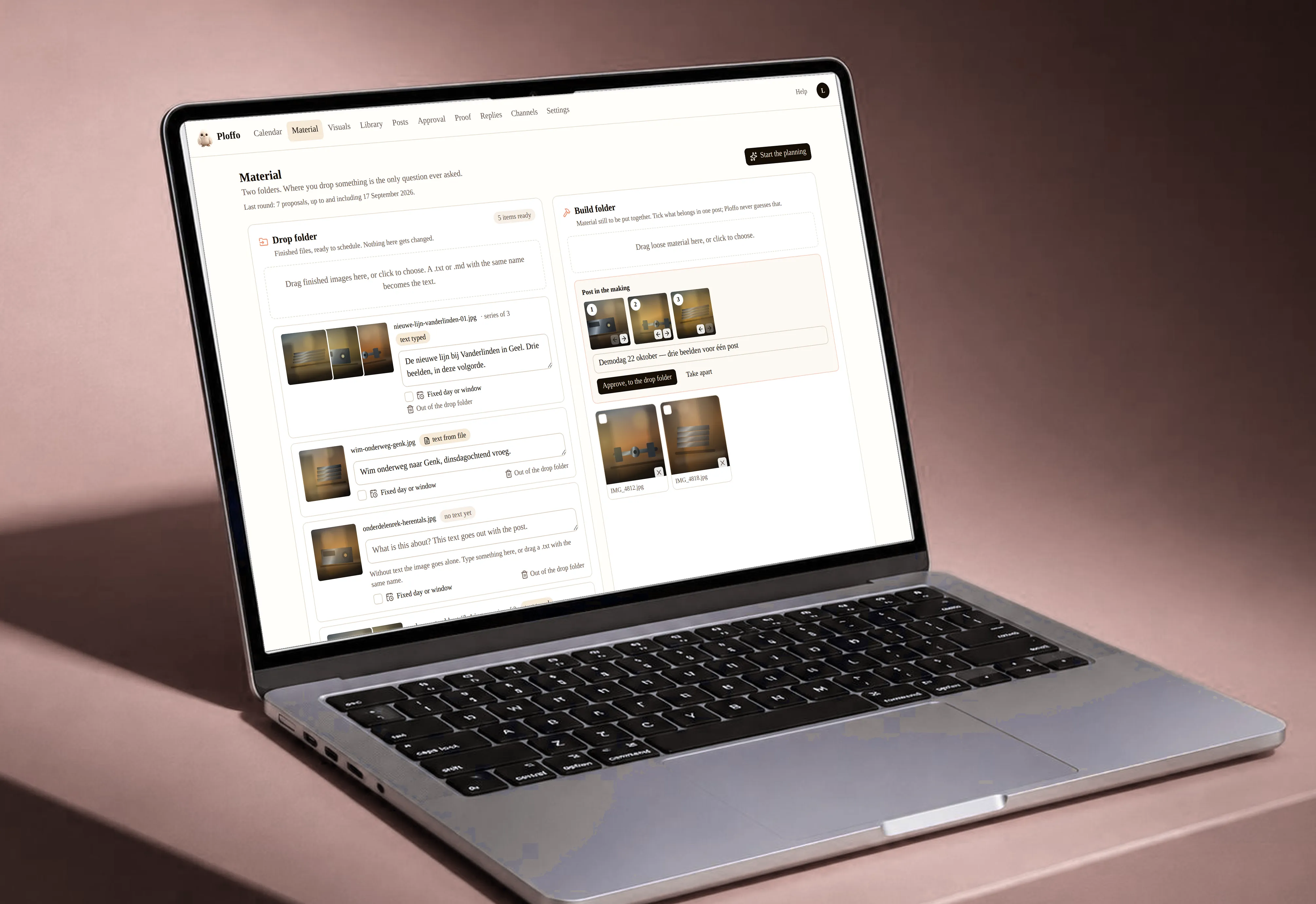
Plano: from a folder of images to a month of planning
Drop every image for the coming month into your workspace at once. Plano recognises what belongs together, where it belongs and when it should go out.
Halloween, Valentine’s, Christmas, the sales. Plan a whole year ahead if you like — it knows where they go. Per country too, because Sinterklaas exists here and almost nowhere else.
It writes the caption in the language of the channel and takes out the spelling errors baked into the image itself. Add one line about what it’s for and it writes what you meant instead of what it sees.
You never start from a blank screen again. You review what’s already there — and nothing goes out before you or your client approve it.
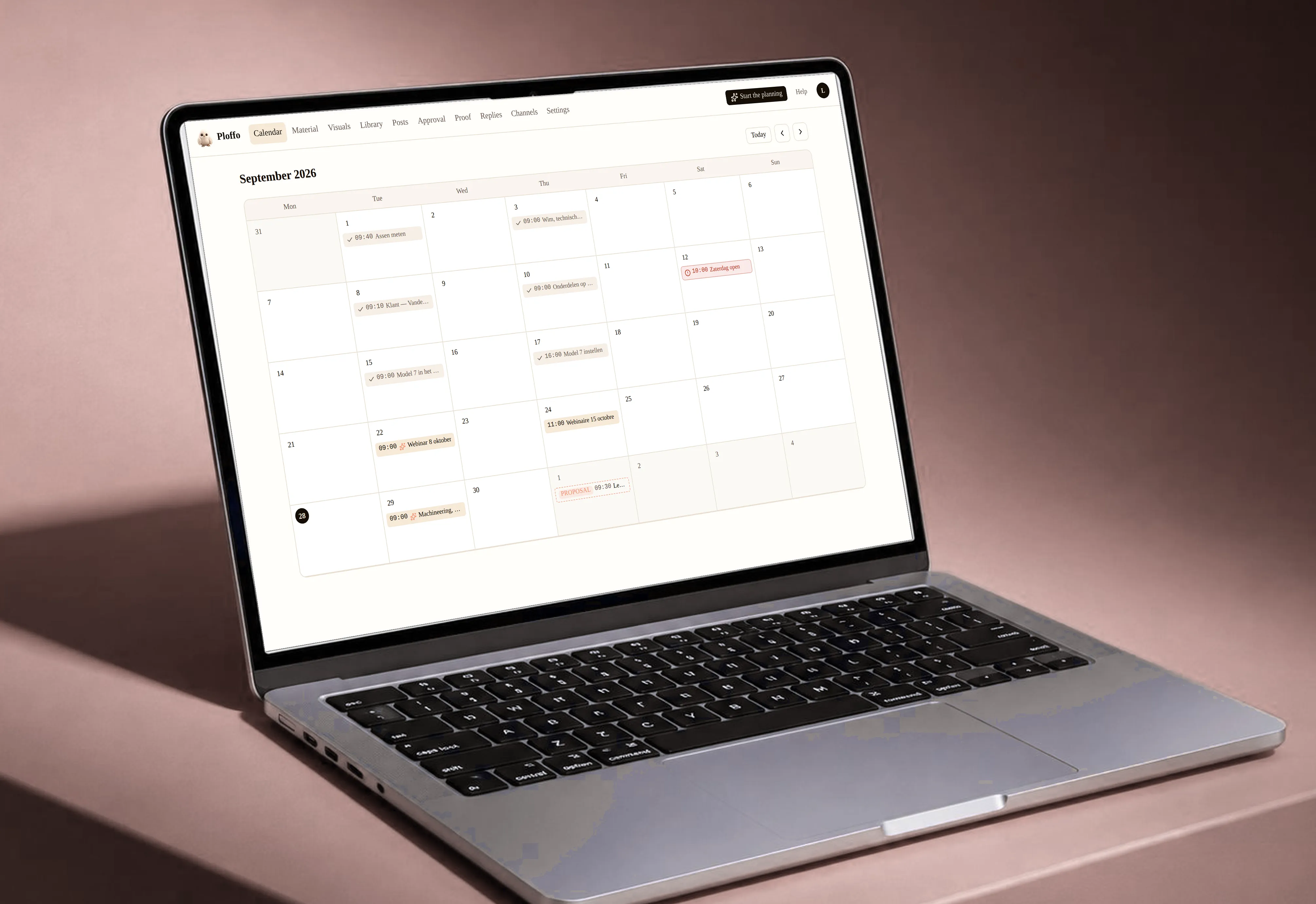
Calendar
All your channels in one calendar, per brand.
Every post runs on the brand’s time zone. Ploffo handles the switch to and from daylight saving time.
A post set for 09:00 goes out at 09:00. Even on the Sunday the clocks change.
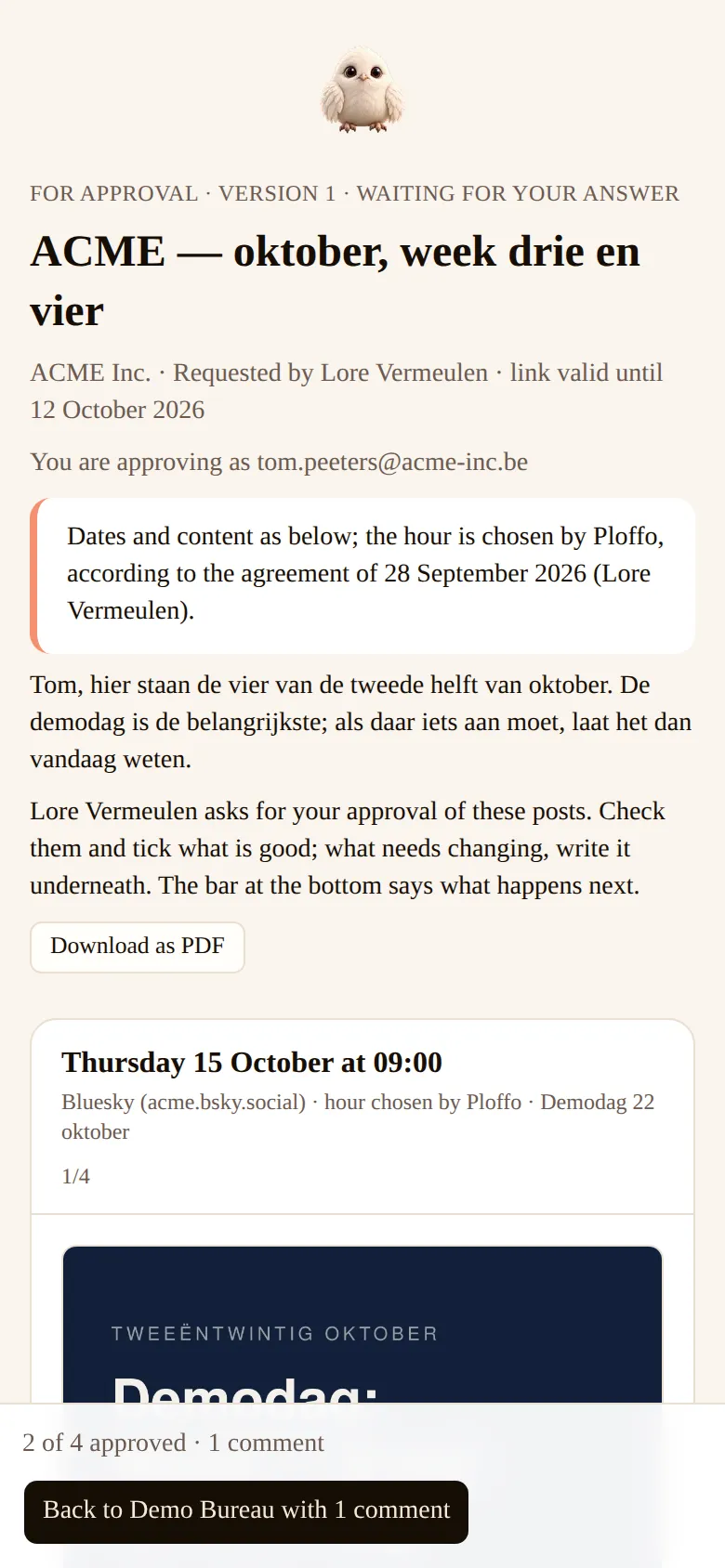
Approval file
Send your client one link or one PDF with every post for a period.
Each post shows date, time, image and copy. One tick and it’s approved, or they ask for a change. It all happens inside the document itself.
They don’t need an account. The moment they approve, the post is scheduled automatically — nothing left for you to do.

Echo, the reply agent
Answering comments and messages takes more time than posting. The agent does it, using only your own information: the documents you upload yourself, your website, your prices, your FAQ.
If the answer isn’t in there, it doesn’t make one up. It passes the question on to you.
You approve the agent, not every reply: set once what it knows, how it sounds and what it never says.
Whoever asked just gets an answer — no source tacked on the end. A link only appears when one is genuinely needed.
You and your client do get the record: which answer, to which question or post, where and when — with the source. That is the document you use to check afterwards what was said.
Complaints, prices and anything legal always go to a human.
Comments on every channel where the platform allows it; direct messages on Facebook and Instagram.

Multilingual variants
One post, several languages. Dutch, French and English side by side.
Each variant has its own copy and is approved on its own.
Useful for anyone working multilingually — from freelancer to international brand.

Three that prepare, one that leaves
Three agents prepare the work, each with exactly one job. Plano turns your images into a plan. Echo writes the replies to comments and messages. Vitro keeps your profiles current.
All they do is prepare. You tick the box. And then Ploffo leaves with it, at the hour you agreed.
All three draw on the same knowledge base: your documents, your website, your prices, your previously approved posts. What one of them learns about how your brand sounds, the others know too.
And why three and not one do-everything assistant: an agent that does a single thing is an agent you can check. Every suggestion says which one made it, and when something goes wrong you know where.

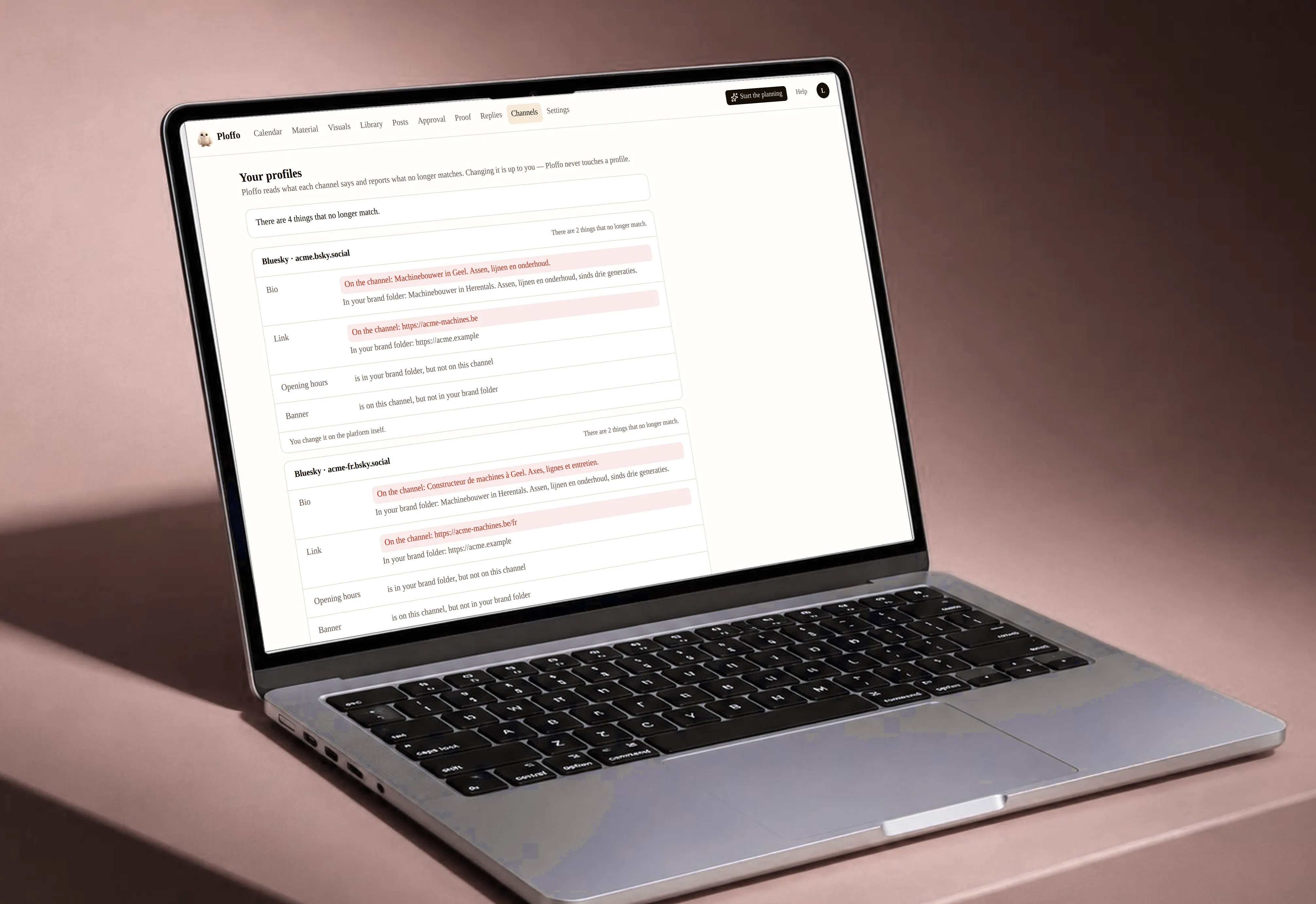
Vitro: banners and bios kept current
Profiles go stale quietly. The bio still names a service you stopped offering, the hours are last year’s, and nobody notices — you never look at your own profile.
Vitro does. It reads them all and says what no longer fits. On Google Business Profile, Facebook, YouTube, Mastodon and Bluesky, one tick and it’s corrected. Where a platform doesn’t allow that from outside yet — Instagram, TikTok, Threads, LinkedIn, Pinterest — the new text is sitting there ready to paste. If one of them opens up, it just joins in.
The Christmas banner and the holiday hours across ten clients at once. Not half a day of clicking, twice a year.
And what was there, we keep. Before and after side by side, one click to put it back.
Media library
Images and videos, organised per brand. Your own storage at Ploffo, so nothing has to sit on your own drive.
Find what you’ve already used, and where.
Solo gets 25 GB, Studio 100 GB and Agency 500 GB. Enough for a year without filling your own drive, and if you need more you add 100 GB at a time.

Previews per platform
See how a post will look on each channel before it goes out.
Your client sees the same preview in the approval file.
You catch a cropped image or copy that runs too long before it’s live, not after. Ploffo never crops into your image on its own — it shows what the platform would make of it, and you decide.
And a line runs through your text where “see more” falls, per channel and per language. In the approval file too, so your client sees straight away which two lines they get.

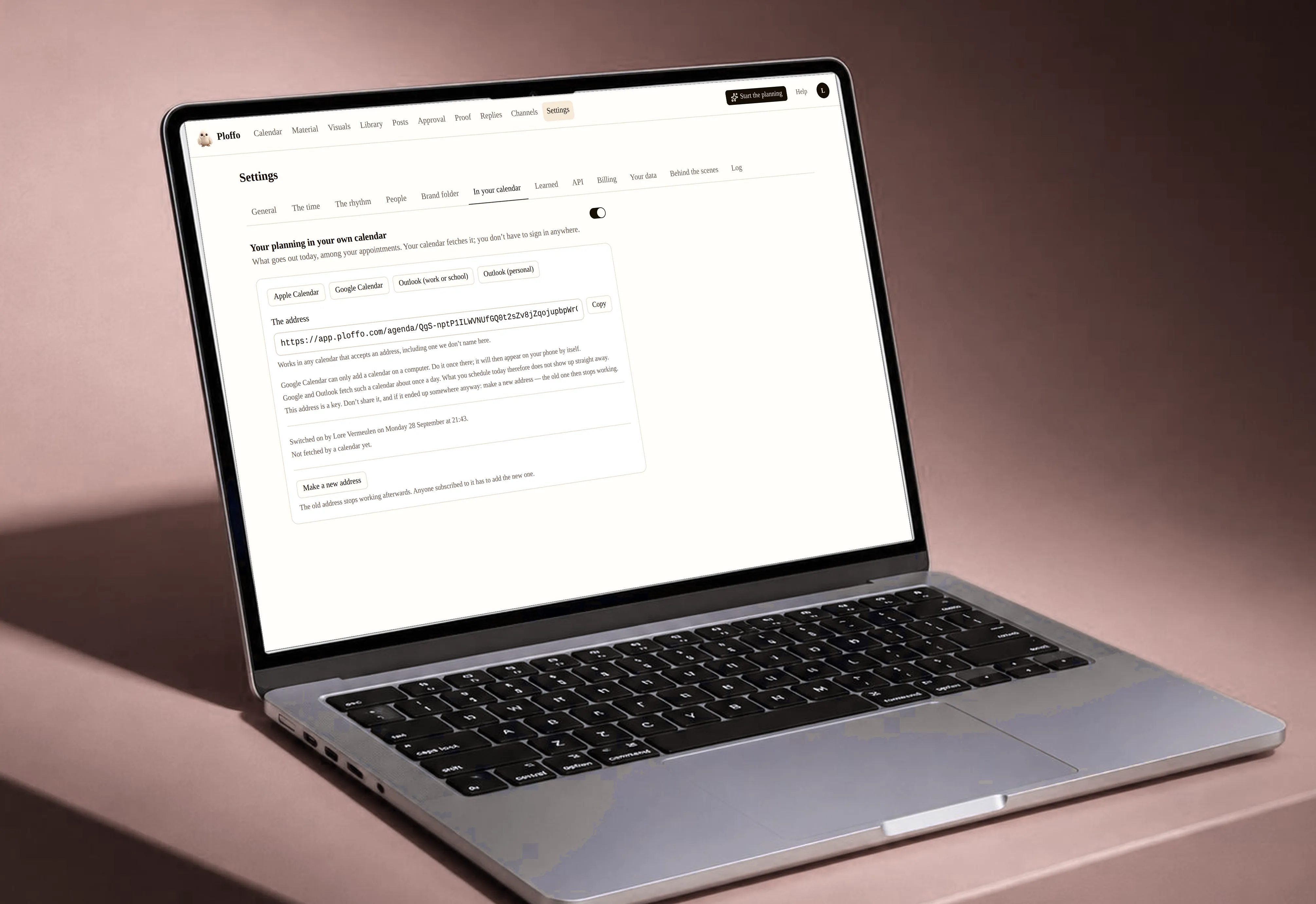
Calendar feed
Show your schedule in your own calendar: Google Calendar, Outlook or Apple Calendar.
See today’s posts between your meetings.
The feed is read-only. Changes happen in Ploffo.
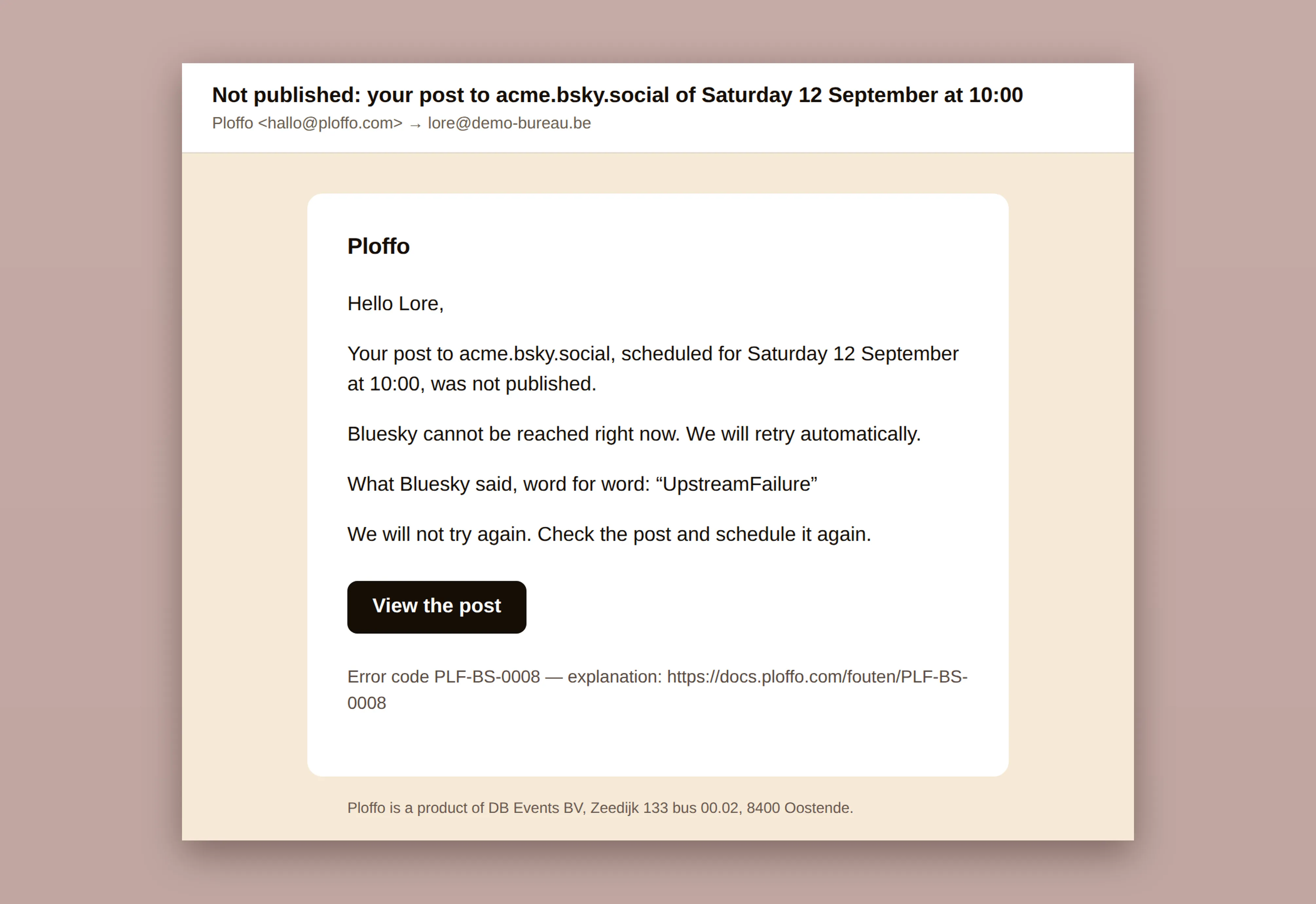
Failure alerts and retries
If a post fails to publish, you get an email. Not a notification you find tomorrow. An email.
Ploffo retries on its own first. If that doesn’t work, the calendar shows what went wrong and what to do.
An expired connection or a rejected image won’t slip past you at 11 pm.
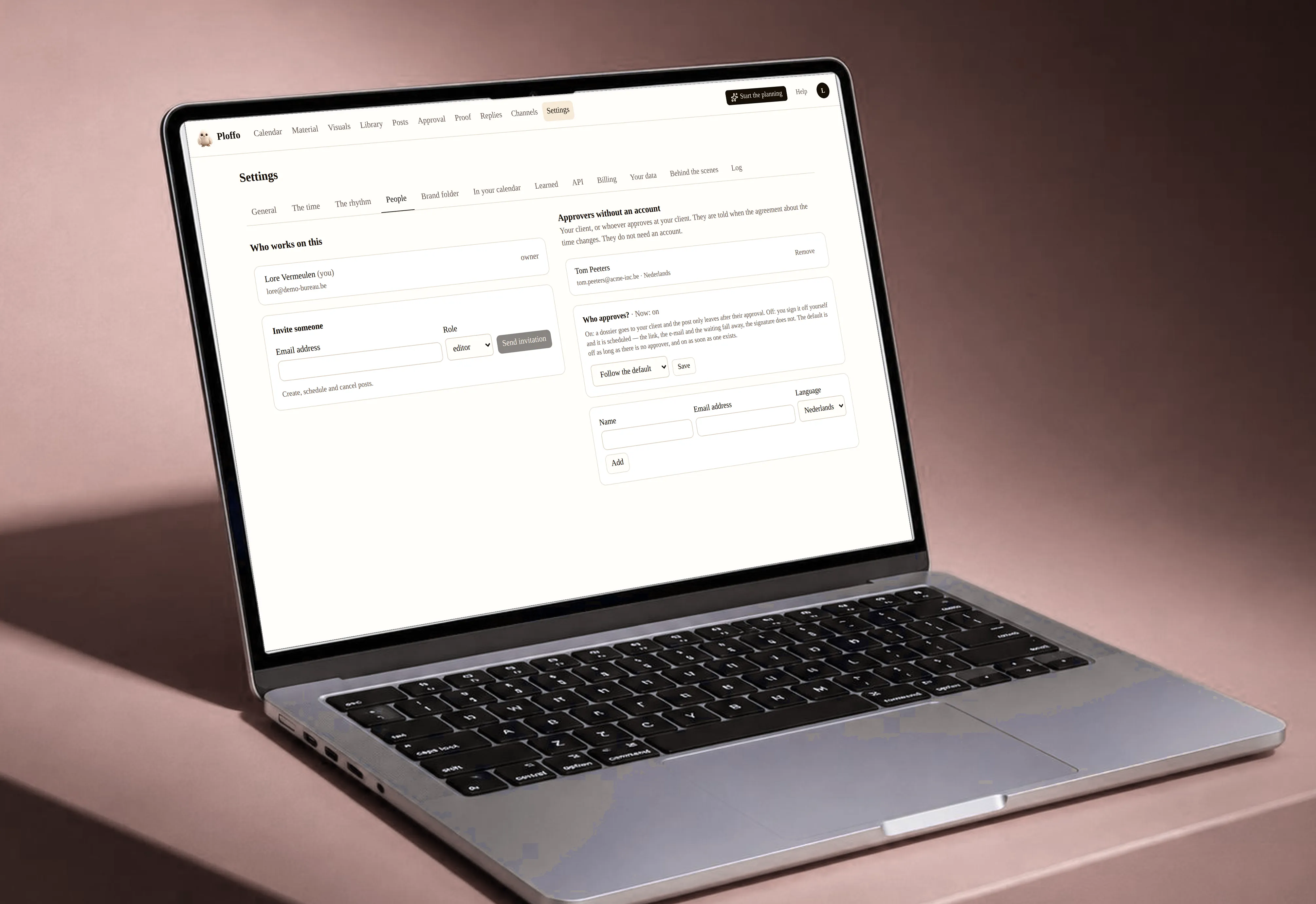
Roles and teams
Work with your team in the same workspace.
Decide per person who creates, who schedules and who approves.
Your client stays out of the app. They only get their approval link.
API and MCP
Every paid plan includes a REST API and an MCP server.
Schedule from your own systems, or let your AI assistant do it.
It’s all on the API page and in the docs.

Questions we get a lot
Does Ploffo handle daylight saving time?
Yes. Every post runs on the brand’s time zone, and Ploffo handles the clock change. A post set for 09:00 goes out at 09:00 local time.
How do I know a post didn’t go out?
You get an email when a post fails to publish. The calendar shows which post it was and what went wrong, so you can reschedule it.
Can I write one post in several languages?
Yes. You create variants of the same post in Dutch, French or English, each with its own copy.
Can I see my schedule in my calendar app?
Yes, through the calendar feed. Add it to your calendar and you’ll see what goes out, and when.
What does Ploffo keep from a published post?
What was sent, when, and the post’s public link. You can look it up, even months later.
Which channels does the reply agent answer on?
Comments on every channel where the platform allows it. Direct messages on Facebook and Instagram. LinkedIn has no messaging API for pages, so there it sticks to comments.
Scheduled. Signed off. Proven.
No card. 14 days. No commitment.