
Plano
From a folder of images to a month of planning.
The hardest moment of the month is the blank screen. The images exist, the client is waiting, and you have to decide from nothing what goes where, when, and with what text. Thirty times over.
Plano takes that first blank page off your hands. You drag in everything you have at once, and you get back a month you only have to read through.

What happens when you upload
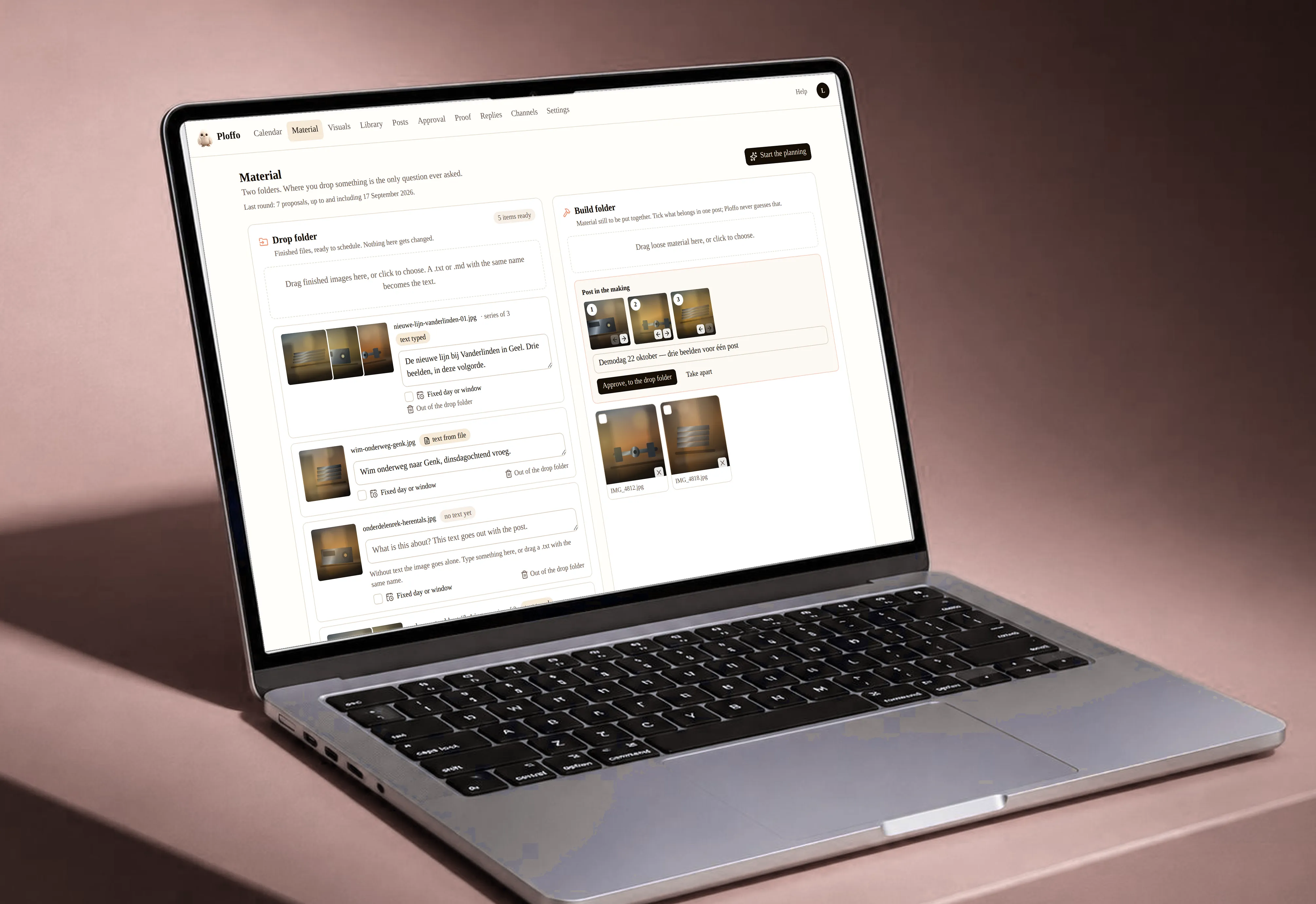
It recognises what belongs together
Files with the same name followed by a number —
summer-1,summer-2,summer-3— become one carousel, in that order. So do images that clearly share a layout. When it isn’t sure, it asks instead of guessing.It knows where things belong
Not just which channel, but which placement within it. A vertical video is a reel on Instagram, a story on Facebook, a video on TikTok and a short on YouTube — four posts from one file. A regular YouTube video is a different thing again, and it knows that.
It writes the caption
In the language of the channel, from your brand brief, your website, your documents and your previously approved posts. That last source weighs heaviest — it’s what makes it sound like you and not like a language model.
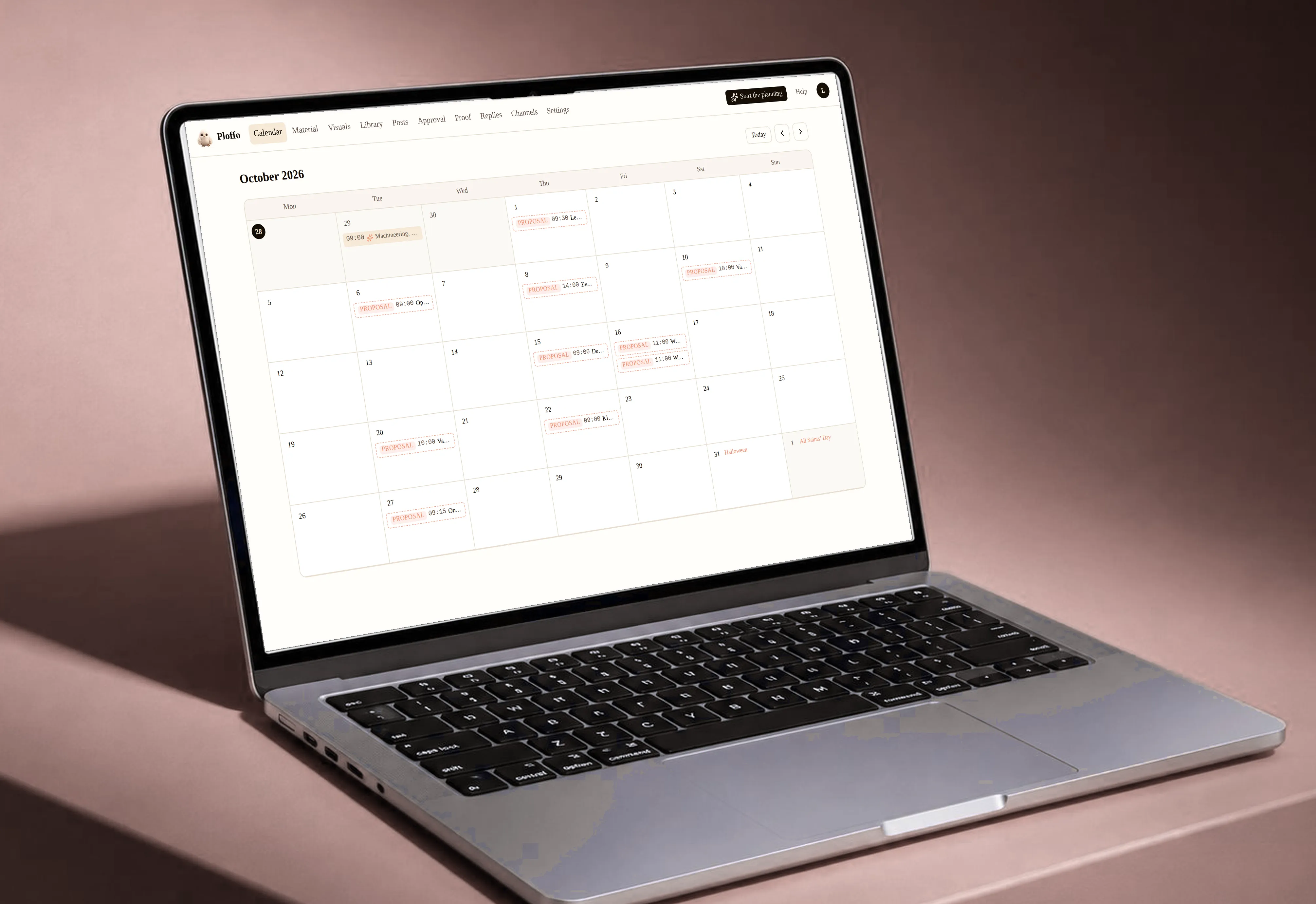
It picks the day
Halloween, Valentine’s, Christmas, the sales. Plan a year ahead if you like; it knows where they go, per country, because Sinterklaas exists here and almost nowhere else. It also tells a greeting from a run-up: “happy Father’s Day” goes on the day itself, the offer around it two weeks before.
And it remembers your corrections
Move a proposal and that gets noted. After five of the same, it becomes a rule for that brand, which you can read and switch off in your workspace: “vertical video goes to TikTok and Reels, not Stories — learned from 5 corrections.” It gets sharper every month without you setting anything.
Where it gets its words
- The documents you upload yourself
- Your website and your prices
- Your brand brief: how you sound, what you never say
- Every post you’ve approved before
What it leaves to you
- One line per image about what it’s for. Optional, but it’s the difference between a caption that’s right and a caption that only describes what it sees.
- The final call. Everything lands as a proposal in your calendar; nothing goes out before you or your client approve it.
- A typo baked into the image it will flag. Fixing it, it can’t — the image is yours.
A month, concretely
You drag 24 images into a client’s workspace: eight product shots, three sets of four that clearly belong together, and four vertical videos.
You get back three carousels for Instagram and LinkedIn, and the four vertical videos as a reel on TikTok and as a story on Instagram and Facebook — the same image, three placements. Plus eight single posts across the month, each with a caption. The Halloween offer sits mid-October; the post that says “happy Halloween” sits on the 31st.
You read it through, adjust three captions, drag one post to another day and send the link. Half a day of work becomes twenty minutes.
Questions we get a lot
Can Plano generate images or video?
No, and that’s a choice. It works with what you supply. Cropping to a channel’s format it does do — that’s arithmetic, not generation — and you always see the crop and can move it.
How many images can I upload at once?
Two hundred per round. If you have more, run a second round.
Does a caption count against my monthly total?
Yes. An Echo reply and a Plano caption each count as one. Enter your own OpenAI or Anthropic key and there is no limit.
Scheduled. Signed off. Proven.
No card. 14 days. No commitment.